
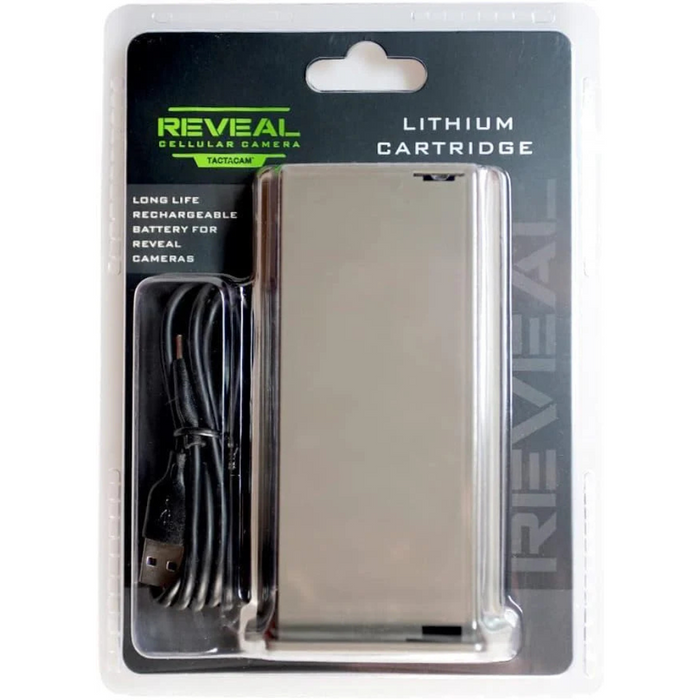


Tactacam Reveal Lithium Battery Version 2
Description
Tactacam Reveal Rechargeable Lithium Battery V2 with USB-C – Eco-Friendly Power Solution for Reveal X, X-Pro, XB, SK, and X 2.0 Cameras
Power your trail camera the smart way with the Tactacam Reveal Lithium Battery Version 2—a reliable, eco-conscious upgrade from HuntEmUp Outdoors. Designed specifically for REVEAL cellular trail cameras, this rechargeable lithium battery replaces disposable AA batteries, offering long-lasting, sustainable energy in the field.
Whether you're scouting game, monitoring property, or managing land, this battery ensures uninterrupted performance. It installs directly into your camera’s battery tray and charges easily with the included USB-C cable. A built-in LED indicator lets you know when it’s fully charged and ready to go, so you never miss a moment due to a dead battery.
Perfect for extended outdoor use, this battery is compatible with a range of REVEAL models and reduces the need for frequent battery changes—saving time, money, and waste.
Key Features:
-
Eco-Friendly Rechargeable Power: Replaces disposable AAs with a clean, rechargeable lithium solution.
-
USB-C Fast Charging: Includes 5V USB-C cable for convenient recharging between uses.
-
LED Charge Indicator: Know exactly when your battery is ready with the easy-to-read status light.
-
Reliable Long-Lasting Energy: Built for multi-day field use with minimal recharge interruption.
-
Easy Installation: Slides into the camera’s battery tray with no extra tools required.
-
Wide Compatibility: Works with REVEAL X, X-Pro, X 2.0, SK, and XB models (not compatible with Gen 1).
Specifications:
-
Power Input: 5V USB-C (cable included)
-
Battery Type: Rechargeable Lithium Cartridge
-
Warranty: 1 Year Manufacturer Warranty
What’s Included:
-
1x Tactacam Reveal Lithium Battery (Version 2)
-
1x 5V USB-C Charging Cable
How to Use:
-
Remove the standard battery tray from your REVEAL camera.
-
Insert the lithium cartridge in its place.
-
Plug the USB-C cable into a power source and charge until the indicator light turns solid.
-
Once charged, reinstall the battery into your camera and secure.
Maintenance Tips:
-
Recharge as needed using the USB-C cable.
-
Keep the battery terminals and charging port clean and dry.
-
Avoid extreme heat or freezing conditions during storage or use.
Upgrade your camera's reliability and reduce your environmental footprint with this smart power solution.